
In this blog, I will tell you how AI email writing tools help you craft professional, personalized emails faster. Learn tips, tools & best practices for 2025.
Artificial Intelligence (AI) can enhance your email writing by generating drafts, offering edits, and providing suggestions, as well as creating templates. Learn how to leverage AI as your email assistant, elevating your writing quality and ensuring your intended message is clearly and effectively understood by its recipients. To understand these AI tools thoroughly then you can join any course related to Digital marketing.
The most important thing is, why does the quality of your email writing matter? Email has been a very important aspect for any organization in terms of communication. Emails are sent to employees, managers, stakeholders, customers, and more. This shows the importance of communication flow from one person, a branch, to the complete organization. nd effective email writing saves time, avoids errors, and helps build strong communication.
In today’s fast-paced world, writing emails that are professional, engaging, and timely can feel like a chore. That’s where AI email writing steps in. Whether for sales, support, or internal communications, using AI tools can dramatically speed up your workflow and elevate your message. But like any tool, it works best when paired with human judgment. Let’s explore how to write smarter emails with AI, what works, and what to watch out for.
Whether you’re sharing updates, summarizing Meetings, or seeking information, your messages must be effective, clear, and grammatically correct. For that, we have many AI tools to generate presentations, Videos, content, and now finally Emails . Artificial Intelligence (AI) can improve your email writing by generating drafts, offering edits, and providing suggestions. Learn how to leverage AI as your email assistant, elevating your writing quality and ensuring your intended message is clearly and effectively understood by its recipients.
How AI Helps in Email Writing
Grammar, Spelling & Clarity
AI assistants often catch grammar mistakes, confusing sentences, and awkward phrasing. Tools like Grammarly, ChatGPT, or Microsoft Editor can suggest corrections to make your email clearer.Subject Line & Headline Suggestions
The subject line is often what decides whether your email is opened. AI can generate multiple subject line options, optimizing for clarity, urgency, or curiosity.Tone & Style Adjustment
Need a formal email to a client? An informal follow-up to a colleague? AI can help adapt tone so your message feels appropriate to the context.Automated Replies & Follow-ups
AI can suggest canned responses or follow-up emails (based on triggers or unread status) while still letting you review/edit before sending.
Top AI Tools & Features
Here is a comparison of some popular tools you can use, and their key strengths and limitations:
| Tool | Key Features | Pros | Cons |
|---|---|---|---|
| Tool A (e.g., ChatGPT-powered templates) | Subject line generation, tone adaptation, draft generation | Very flexible, supports custom editing | Risk of generic wording; needs strong prompt design |
| Tool B (e.g. Grammarly + Business version) | Grammar, clarity, style, brand voice consistency | Great for polishing, reducing errors | Doesn’t draft emails from scratch as well |
| Tool C (e.g., Email automation platforms with AI) | Auto follow-ups, scheduled sending, and personalization of variables | Saves time, helps scale outreach | Costs can rise; it may feel impersonal if over-automated |
Best Practices When Using AI for Emails
Always Review the AI Output
AI can be impressive, but mistakes happen. Names wrong, context misunderstood, tone off. Human proofreading is essential.Keep the Personal Touch
Personalization (recipient name, context, reference) matters. AI helps you generate content, but small tweaks make a big difference.Protect Data Privacy & Confidentiality
Be careful sharing sensitive or private content with AI tools, especially cloud-based ones. Understand the tool’s privacy terms.Avoid Being Too Generic
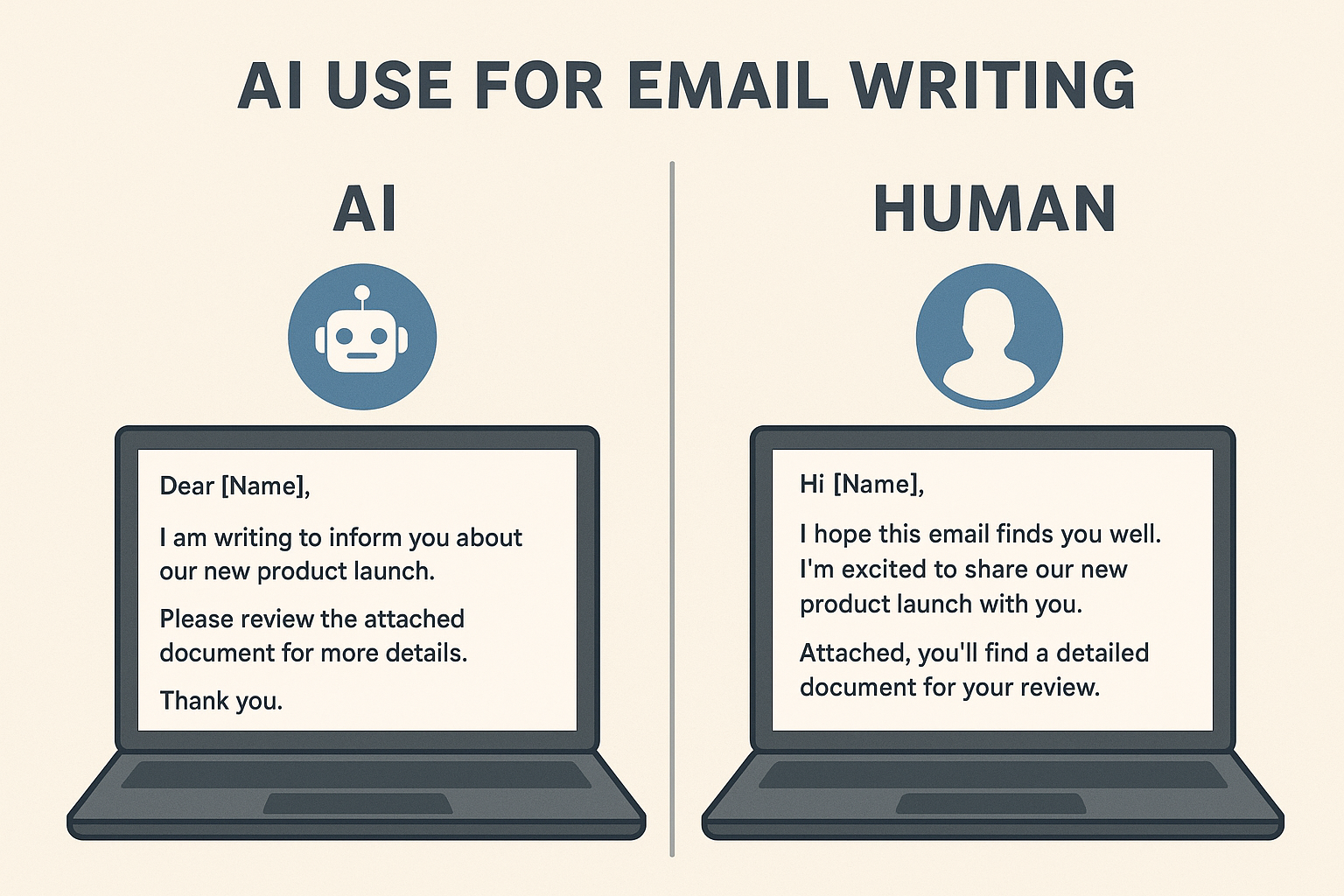
If every email sounds like every other, recipients might disengage. Use AI to help you, not to produce the same template repeatedly.
The best AI email assistants
Shortwave for AI-powered email search
Microsoft Copilot Pro for Outlook for improving communication
Gemini for Gmail for Google Workspace users
Apple Intelligence for Apple Mail for Apple customers
Superhuman for mixing AI generation with message templates
Notion Mail for AI-powered inbox filtering
Proton Scribe for privacy
Edison Mail for AI-powered security
SaneBox for keeping your inbox organized
Conclusion
AI has transformed how we write emails: faster drafts, fewer errors, more polished messages. But the key to true effectiveness is striking the balance: use AI for efficiency, but retain the human voice, the personal touch, and the oversight. When done right, AI email writing tools become your silent assistant, making daily communication smoother and more professional.
FAQs
Q1: Is AI email writing better than writing manually?
A: It depends. For speed, consistency, and polish, AI helps a lot. But manual writing still wins when you need a strong personal connection, bespoke tone, or high-stakes communication.
Q2: Which AI tools are good for email writing?
A: Some popular ones include ChatGPT, Grammarly, Jasper, Microsoft Editor, and specialized email automation tools. Choose based on what features matter to you (tone, templates, subject lines, follow-ups, etc.).
Q3: Is AI safe to use for writing emails?
A: Generally, yes, but check the privacy policies of the tool, avoid feeding in highly sensitive content, and ensure compliance with any company or regulatory data rules.
Q4: How can I make AI-generated emails sound more human?
A: Add personal touches (names, references), use natural expressions, and edit overly formal or robotic phrases. Mix standardized parts with unique lines.
Q5: Will using AI for emails reduce trust?
A: It can if messages feel generic, impersonal, or obviously AI-made. But if used correctly (with personalization and care), most people won’t even notice.





Leave feedback about this